The questions
The lens catalog
Every guided what-if that ships today: what each lens asks, how its dials work, and what pressing Add to plan actually does. · 8-minute read
What a lens is
A lens is a scenario with its question already asked: the right dials on the rail, the right chart annotations, a verdict phrased in your numbers. Every lens follows the same rules: it is a sandbox on its plan until you press Add to plan, andFacts, plans & scenarios covers what that press does. This page is the catalog: each lens, what it asks, and what adding it to your plan means.
What follows describes each lens's own answer, the part that always copies. An Add takes the scenario whole, so anything else you changed while you were in there comes with it; Review in the dialog names every value and lets you leave those extras behind. Any lens can also be previewed over your plan rather than added, if you would rather see it on top of your plan than in it.
The catalog below tracks what's live in the product; it grows as lenses ship.
Retire early
When can I stop, and what does each year earlier cost?
Drag the retirement age and watch the fork move. Behind it sit the dials that decide whether an earlier date holds: when Social Security starts for each of you, and what retirement spending looks like: flat, fixed, or the early-years smile. The chart annotates the gap against your plan at every age you try.
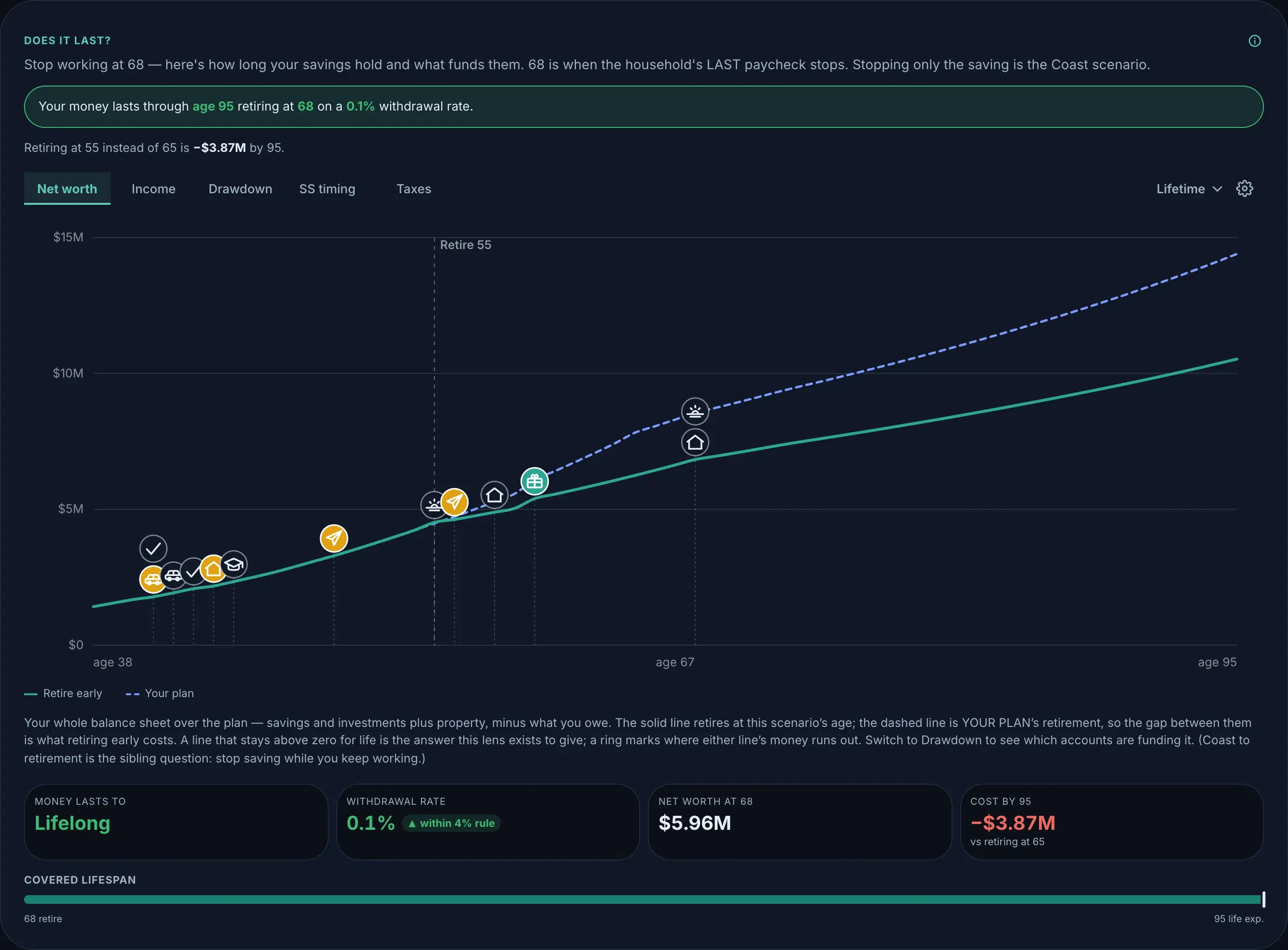
Add to plan sets your plan’s retirement age to the one you chose, a one-off copy of the dial. Change your mind later and Add again; the new age overwrites the old.
Coast to retirement
When could I stop contributing and let growth do the rest?
Coast asks a gentler question than retiring: keep working, stop saving. Slide the stop age and the lens shows whether what you’ve already banked coasts to your number by retirement. The frozen-base spending tiles show what today’s money supports at each tier.
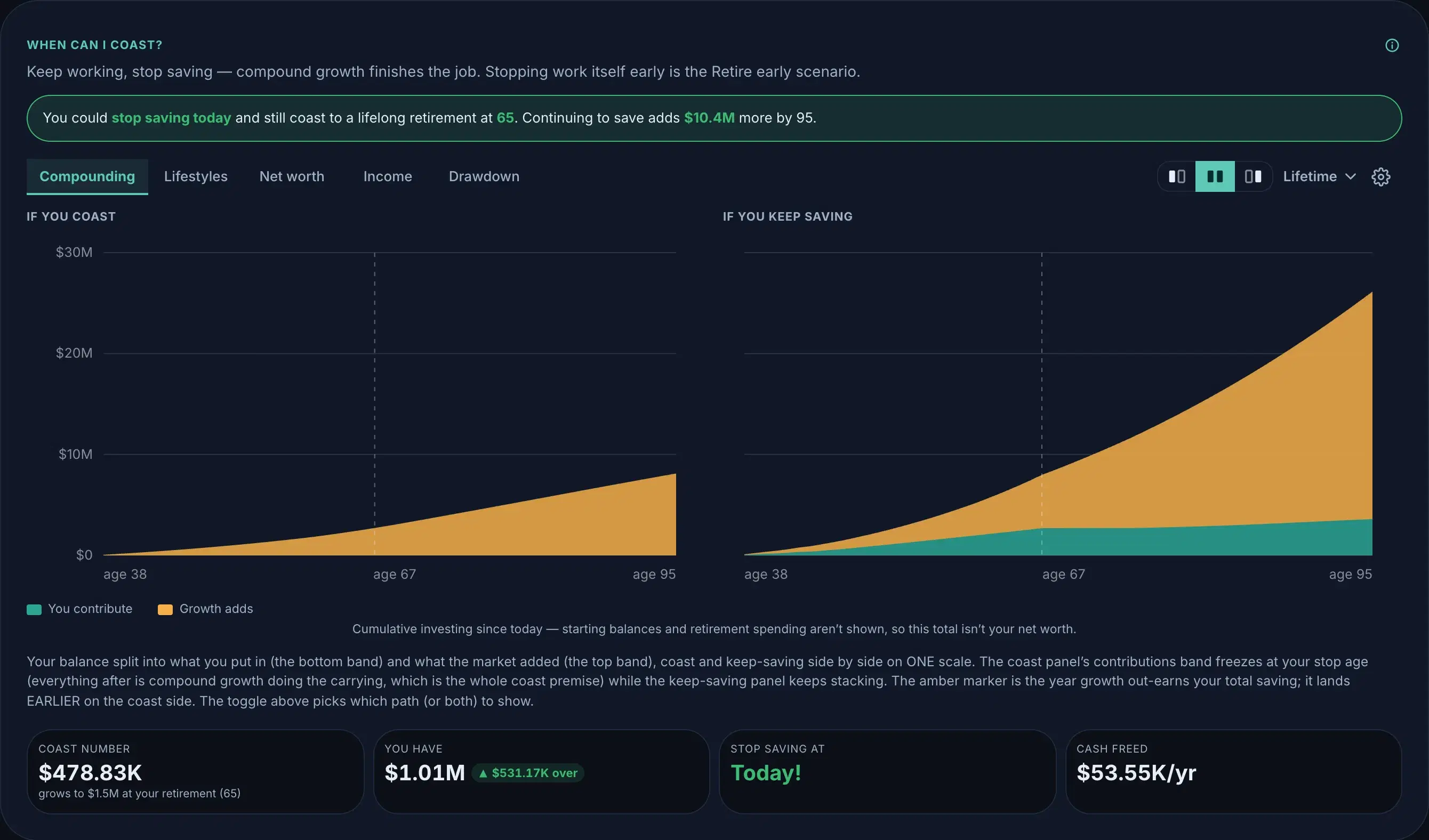
Add to plan translates the stop age into each account’s contribute-until age: per-account dials copied into your plan, which owns them outright.
Buy a home
What does buying this place do to everything else?
Price, down payment, rate, and when, plus the carrying costs that make a house more than a mortgage. It works for the first home and for the next one: the lens models the purchase against whatever you own today, including what happens to the rent or the old place. The one-time money (closing, moving) rides as dated events.
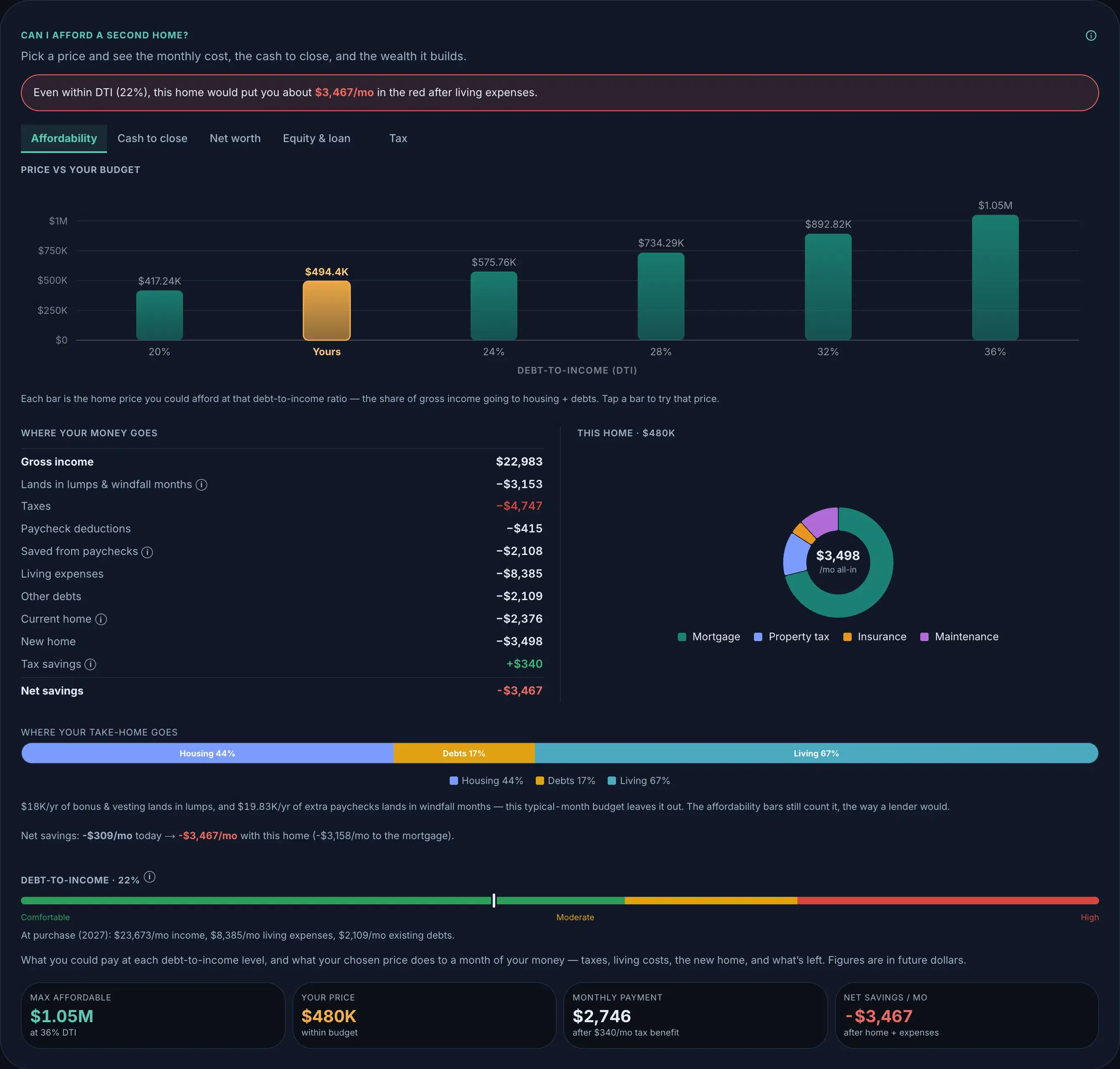
Add to plan copies the decision in whole (the property, its loan, the dated cash) into your plan as ordinary rows.
Rent vs buy
Is owning actually winning, for us, here?
Monte reads which side you’re on from your profile: renters see what buying changes, owners see what their equity is doing versus renting it back. Both paths carry their honest costs (maintenance, taxes, the down payment’s lost growth), and the verdict is a crossover age, not a slogan.
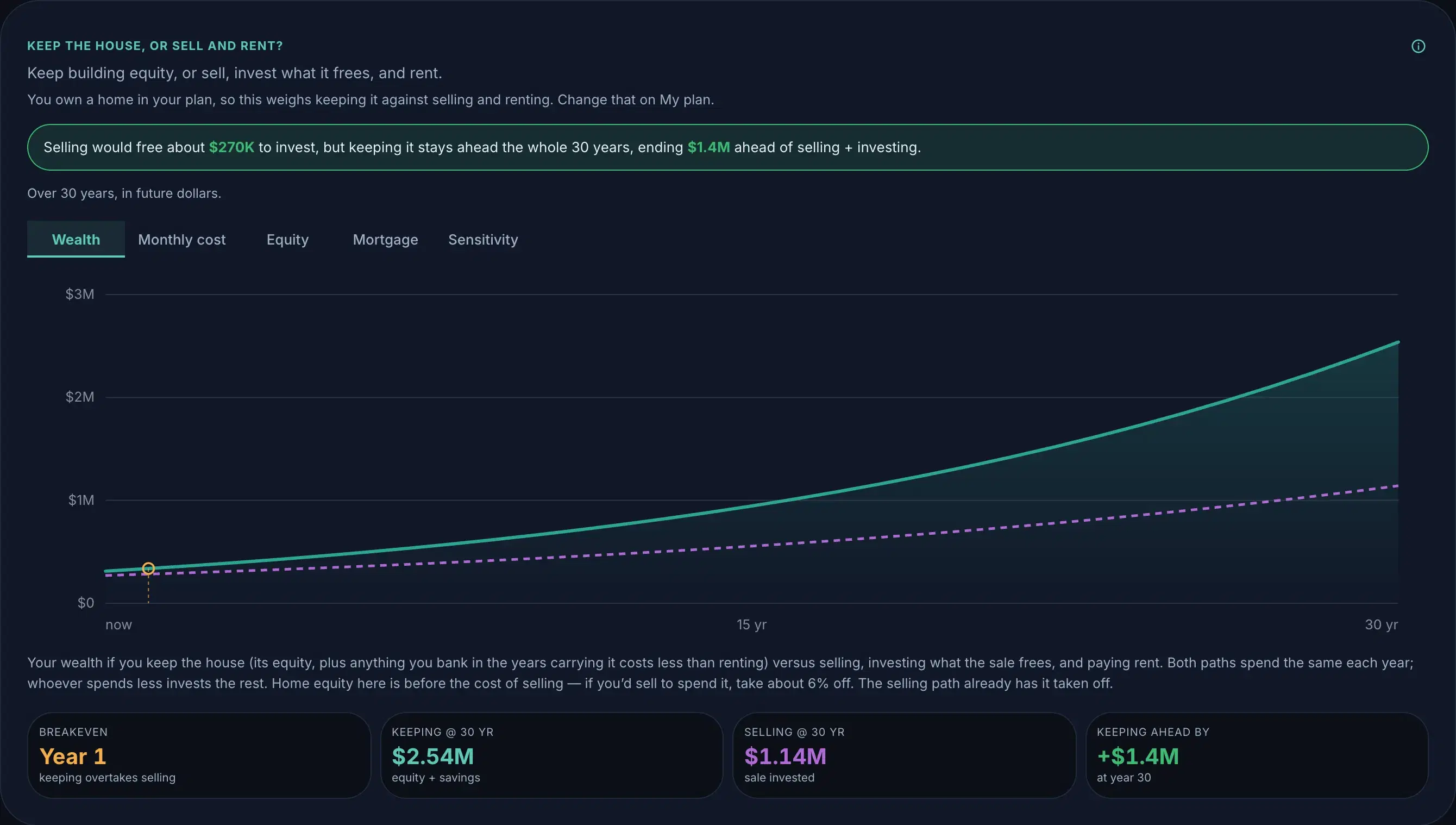
When the answer is “buy”, this lens hands you off to the buying lens, where the purchase has the controls it deserves; the add happens there.
Drop to one income
Could we live on one paycheck?
Pick which income stops and when: a sabbatical, a staying-home decision, a layoff you want to be ready for. The lens carries the knock-on effects: the contributions that stop with the paycheck, the expenses that change, the taxes that re-bracket around the remaining income.
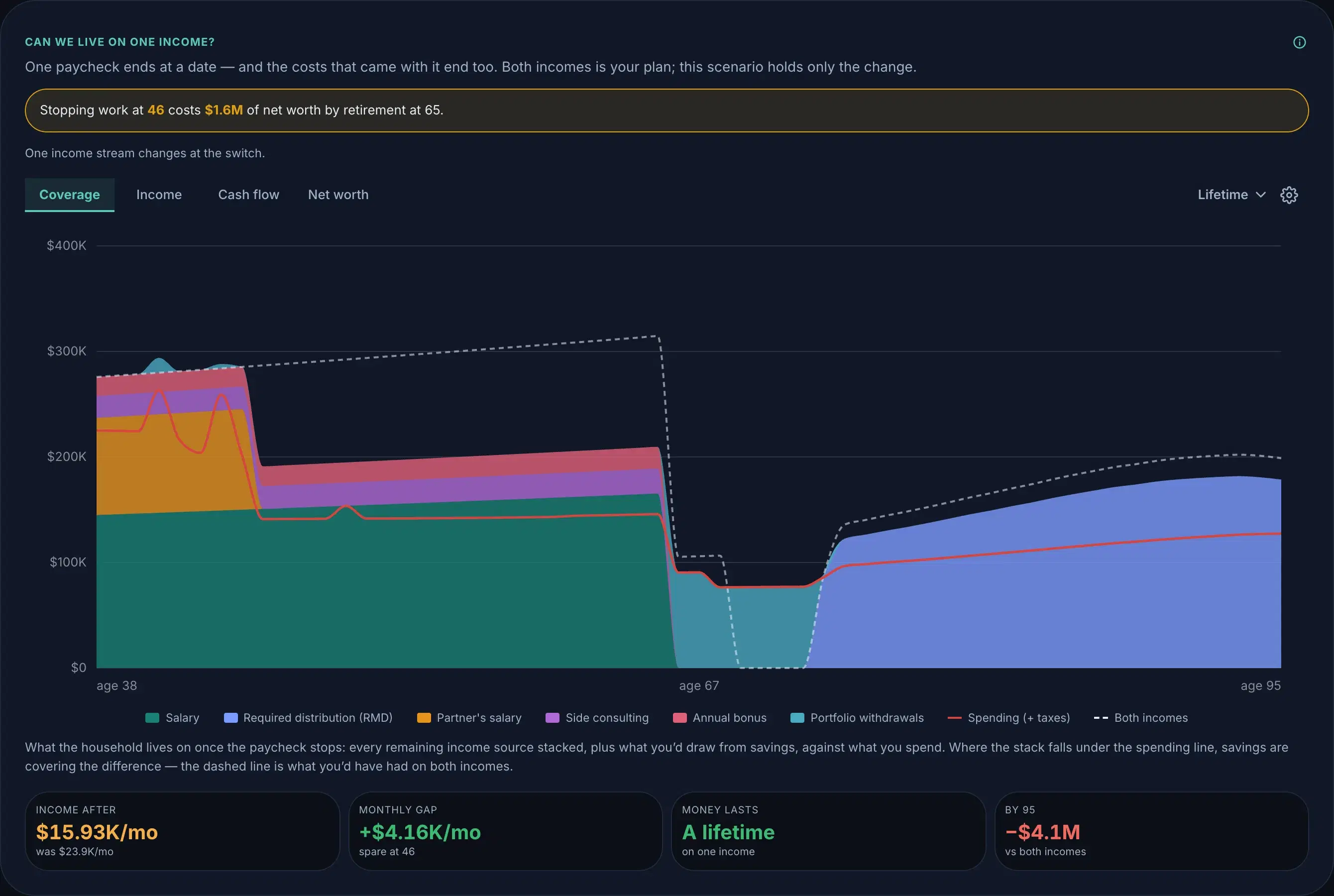
Add to plan copies the income’s end date and the changes you kept into your plan; the household’s new shape becomes the baseline.
Career change
What does the switch really cost, and when does it pay back?
Four cards: when the switch happens, what your income does (including a gap between paychecks), what your expenses do, and the one-time money: severance, a bootcamp, relocation. The chart shows the dip and the crossover, so “worth it” gets a date.
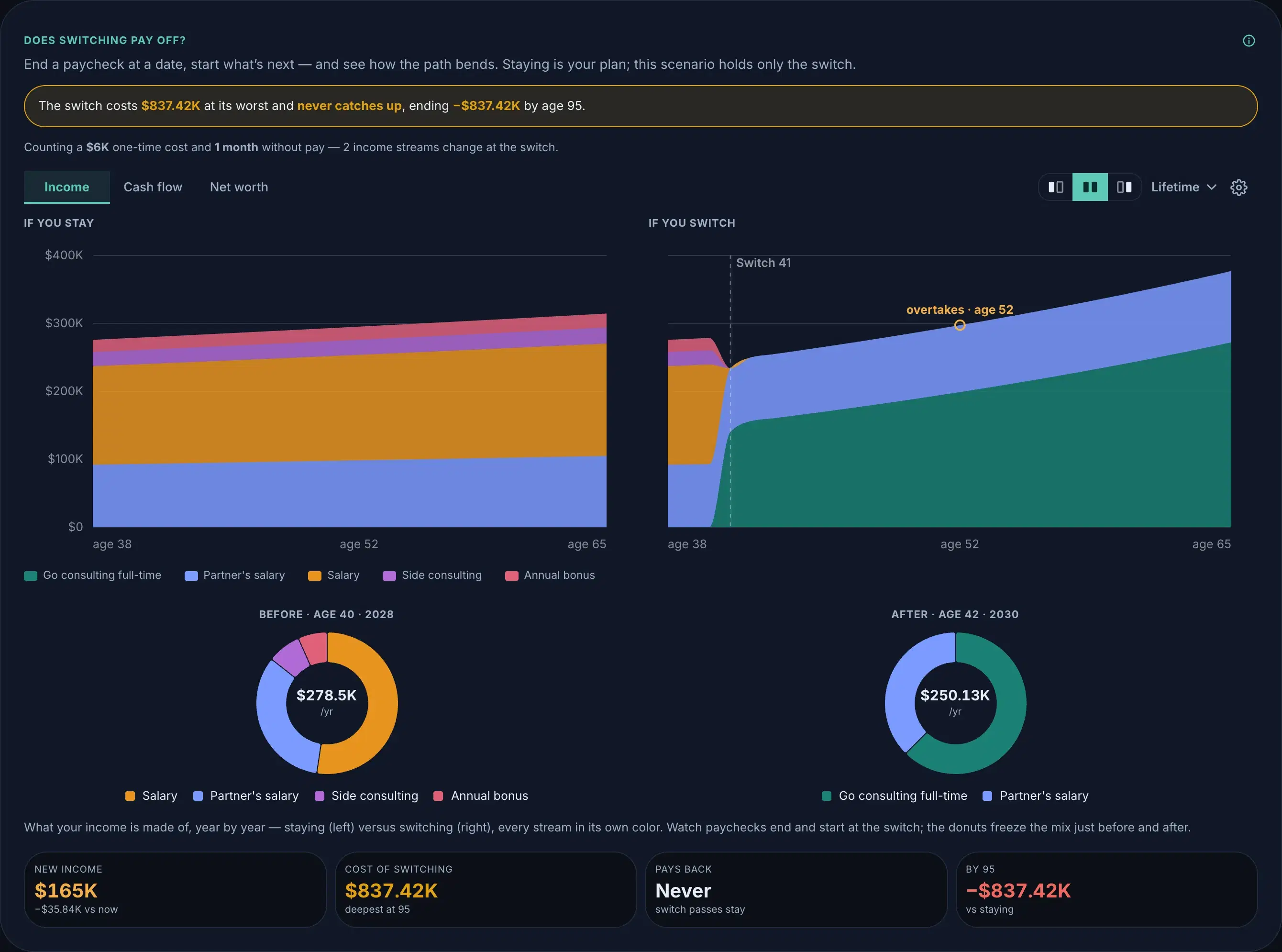
Add to plan copies the switch (income fates, expense changes, dated cash) into your plan as ordinary rows.
Save for a wedding
Can we pay for the wedding we want without raiding the rest of the plan?
Start from the guest list and the date, then track it vendor by vendor. Booked contracts hold their price and every deposit sits on its real due date, so the saving pace follows the schedule: a big payment up front raises the bar in a way a flat average would hide, and family help lowers it when it arrives. The verdict says whether the months between now and the date carry it.
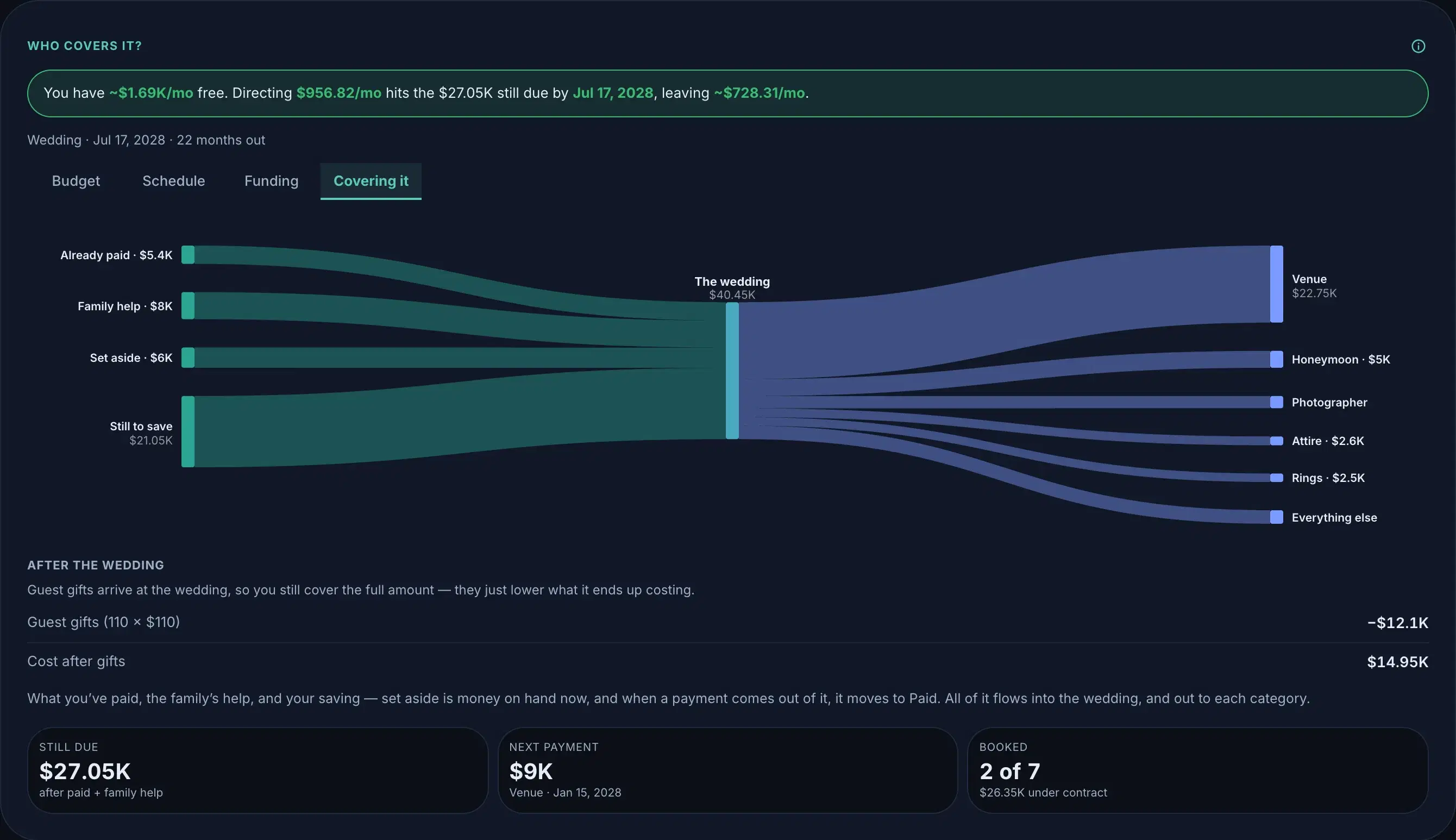
Add to plan copies the schedule in as dated rows: each remaining payment on its month, the family help when it lands, the day itself on your timeline. Your plan owns them outright; change a vendor later and Add again to bring it up to date.
Refinance
Does this quote actually beat the loan I have?
Enter the rate, term and costs you were offered; the lens opens on your own loan, so an untouched quote honestly changes nothing. It shows what the new payment does, when the deal earns back what it costs, and the number a payment comparison hides: total interest over the life of each loan. A lower payment on a reset 30-year clock can cost six figures more, and the verdict checks that before it congratulates anyone.
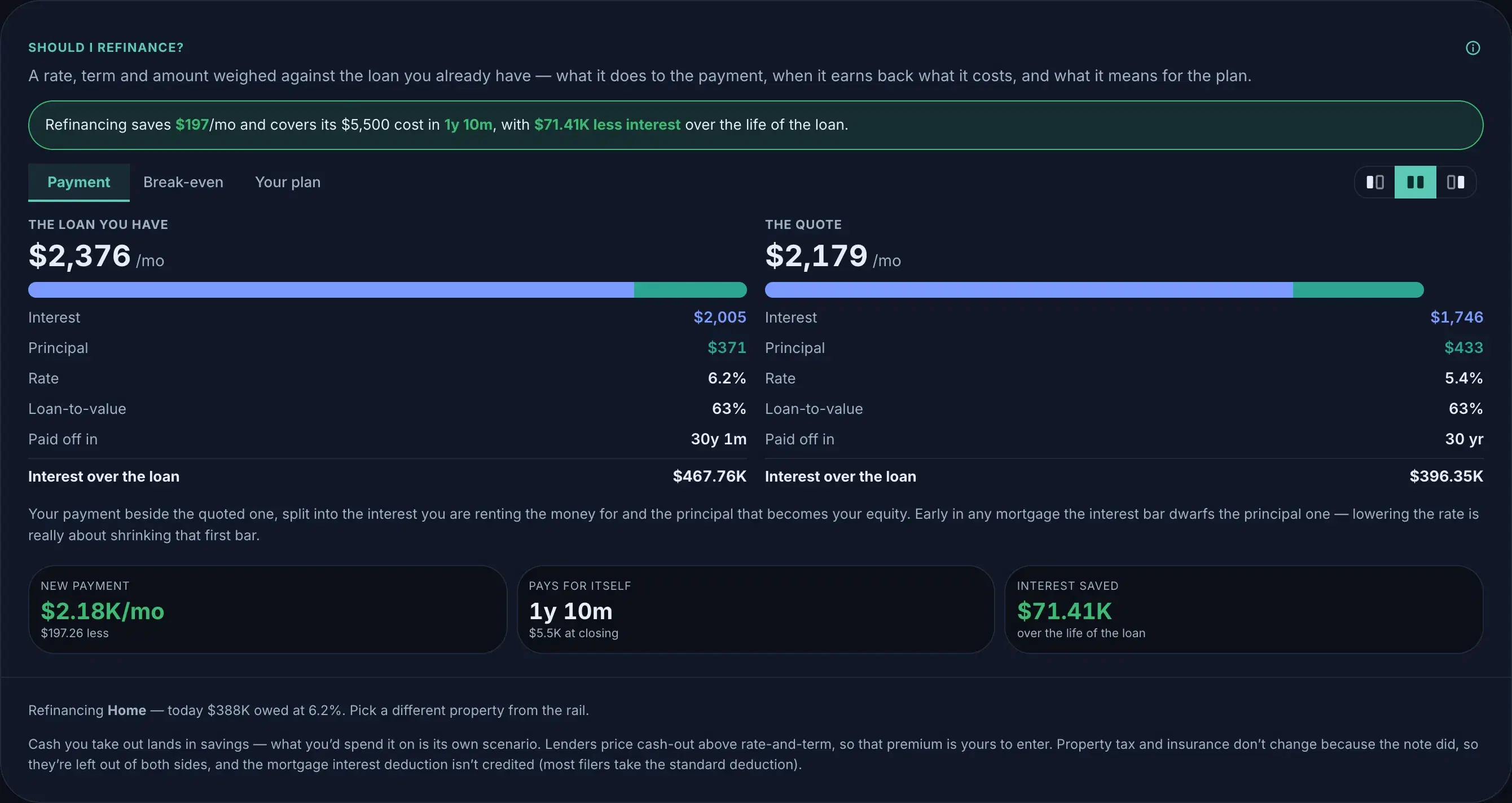
Add to plan writes the new note onto your mortgage from the refinance date (the old terms run until then) with the closing costs as dated cash. Get a better quote later and Add again; your plan’s copy updates in place.
Move out now vs later
Can I afford to move out now, or should I wait?
Pick the month you’d move and the lens runs two savings paths side by side: leaving now versus leaving then, with the deposit and moving costs on the day and the new rent from then on. If your plan already has a rent line, the move replaces it instead of stacking a second one. The verdict prices the wait: what each month at home actually buys you. Whether to rent or buy long-term is Rent vs buy’s question; buying now is Buy a home’s.
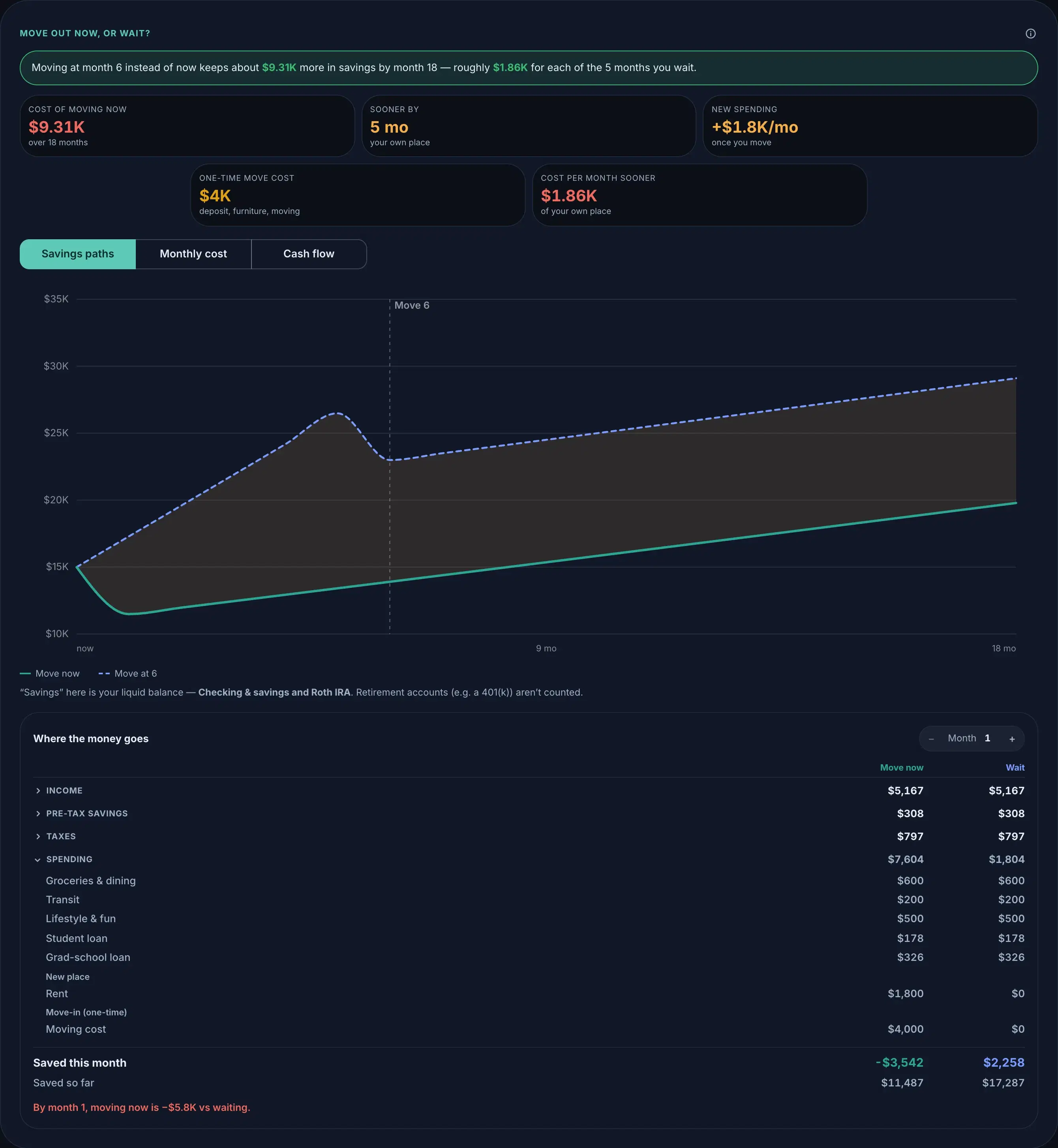
Add to plan writes the move at your chosen month: the new housing cost from that date, the one-time moving costs on the day, and the day itself on your timeline. Pick a different month later and Add again; your plan’s copy updates in place.